In order to access the Braincube Live configuration, go to the Live page. You need an Expert Profile.
Pick a Live you want to modify. There are 2 main topics you can configure :
- what information will be displayed in this live, using the Configure Live choice
- how the information will be displayed in the live, using the Configure Live display
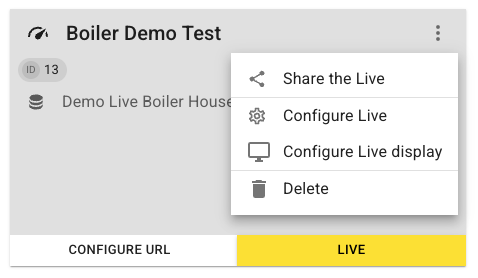
Under Configure Live,
- Choose a name, and an aggregation (Pivot variable) if desired. You can leave this field empty for continuous processes.
- what characterizes a live are the variables displayed in it. They are selected by choosing the Locations / SubLocations they belong to

For the configuration of the display settings:
- Default page when opening the Live
- Default time:
a. Timeline LF (Low Frequency) -> historical (aggregated) values
b. Timeline HF (High Frequency) -> current minute value - Configuration of the title bar (see article “main screen”)
- Configuration of the table bar (see article “Table”)
- Display options: Group and display conditions

Tip: Do not forget to add the locations for every variable used in the configuration, including 4 and 5!
