What is the Automated Database Quota Management Feature?
This feature, available in the Data app, is designed to ensure the optimal performance and reliability of your database by automatically managing data size against predefined storage quotas. When enabled, it proactively removes the oldest data entries that exceed your allocated storage limit, keeping your database at an efficient size.
What is the benefit of enabling this feature?
Enabling this feature provides several key benefits:
- Optimized Performance: Prevents database bloat, which helps maintain fast query speeds and overall platform responsiveness.
- Enhanced Reliability: Reduces the risk of system instability and downtime associated with excessively large data volumes.
- Controlled History: Ensures you keep the most relevant, recent data necessary to populate analysis and other tools, without manual intervention.
Who can enable or disable this feature?
Only users with Admin profil****es and above have the necessary permissions to modify (enable or disable) this automated quota management option within the platform settings.
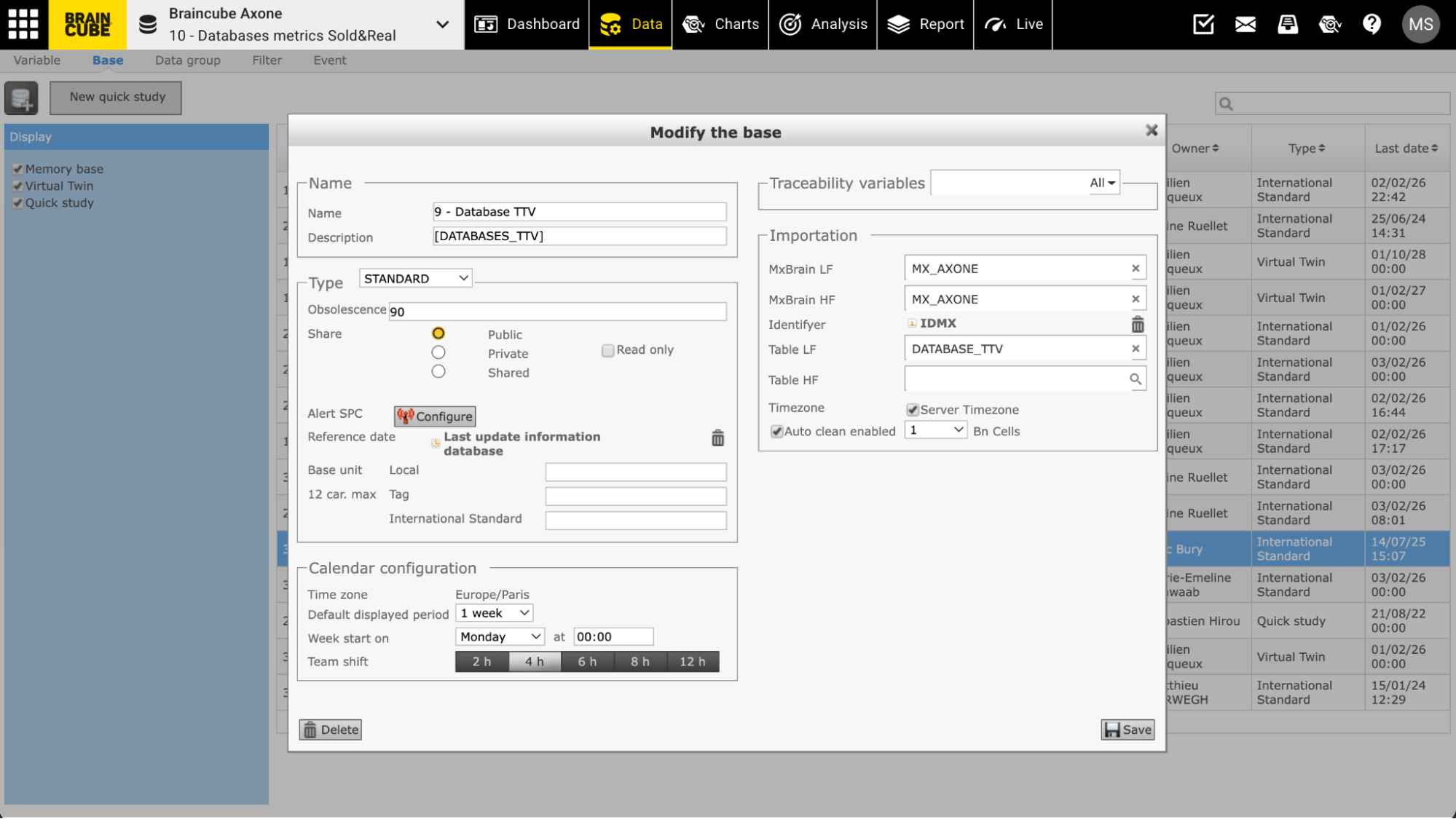
The option is found in the Data app, in each individual database ID card
How does the automated quota management process work?
Once enabled by an authorized user, the system performs a nightly check to determine if your database is over its allocated storage quota.
- When does it run? The automated data erasure process runs every night at 5 AM, in the timezone of your Braincube.
- What data is removed? If the database is found to be over quota, the system automatically removes the oldest data entries until the database size falls back within the defined quota limit.