1. What is the Database Latency feature?
The Target Latency feature allows administrators to define an acceptable maximum delay for data freshness in specific databases. This maximum delay, or "target latency," is set as a whole number, in minutes. It provides a visual indicator on the Data app database page, making it easy to see if a database is up-to-date according to the established benchmark.
2. Who can set the Target Latency?
Only IPLWADMINs are authorized to set the target latency value for a database.
3. How is the Target Latency value determined?
The target latency should be set in agreement between the Braincube Leader and Braincube (operational team or Support Team). Before setting the target, data transformations must be optimized to fit the desired latency time. This process is crucial to ensure the target reflects a genuine usage need, typically related to monitoring production data.
4. How is the Target Latency set?
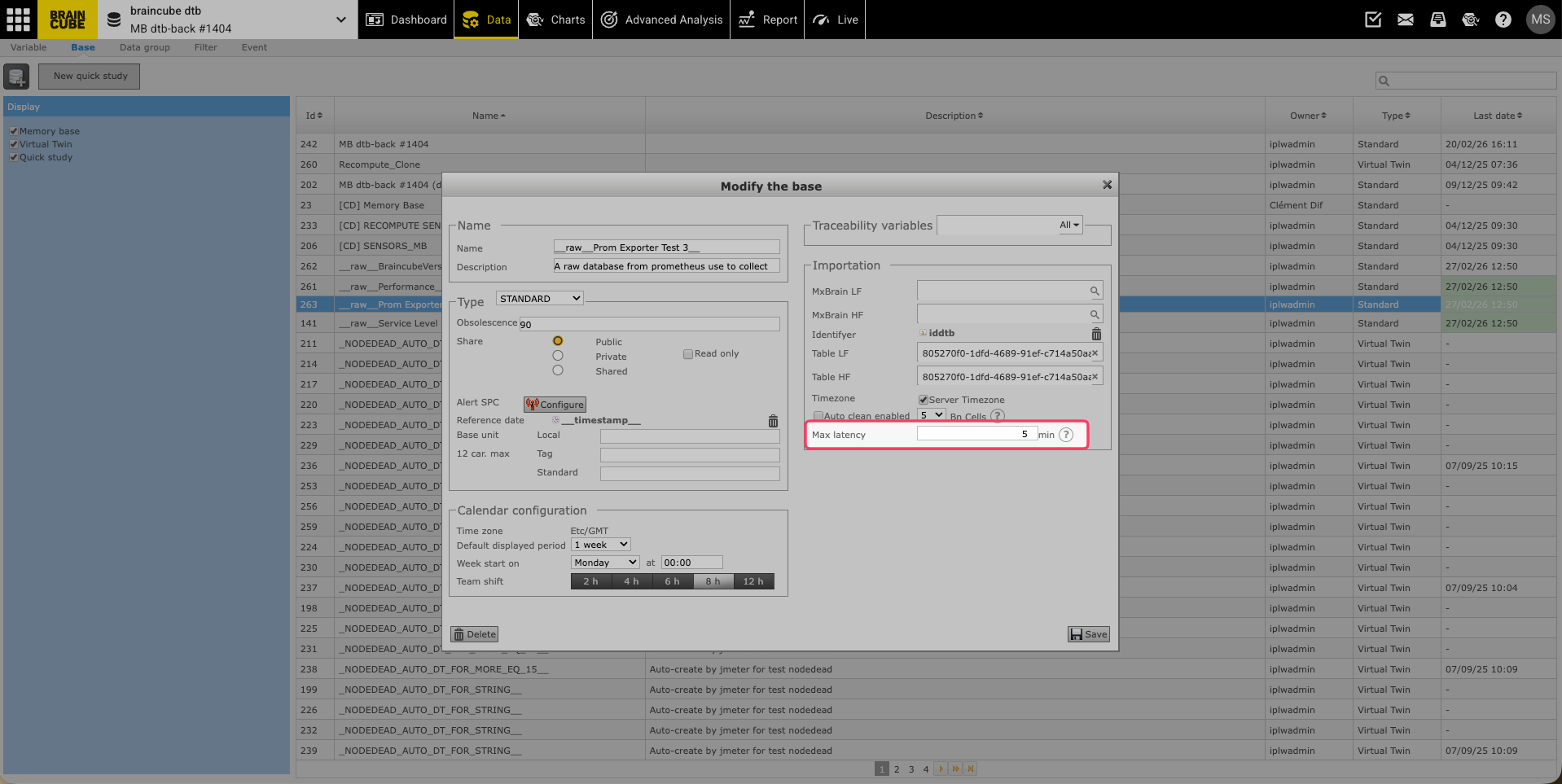
The target latency is set in the database ID card.
5. What is the minimum value for Target Latency?
The minimum allowed value for the target latency is 5 minutes per database.
6. Which databases can have a Target Latency set?
This feature is only available for Memory Bases and Clones that have a reference date set. Quick studies are static datasets by nature, so they do not have a latency.
7. How is the actual database Latency measured?
Latency is calculated as the difference between the latest reference date in the database and the current time ("now") in the database's time zone, measured at the moment the Data app page is refreshed.
Any datapoint in the database missing a reference date is ignored.
8. How can I check if a database is up-to-date?
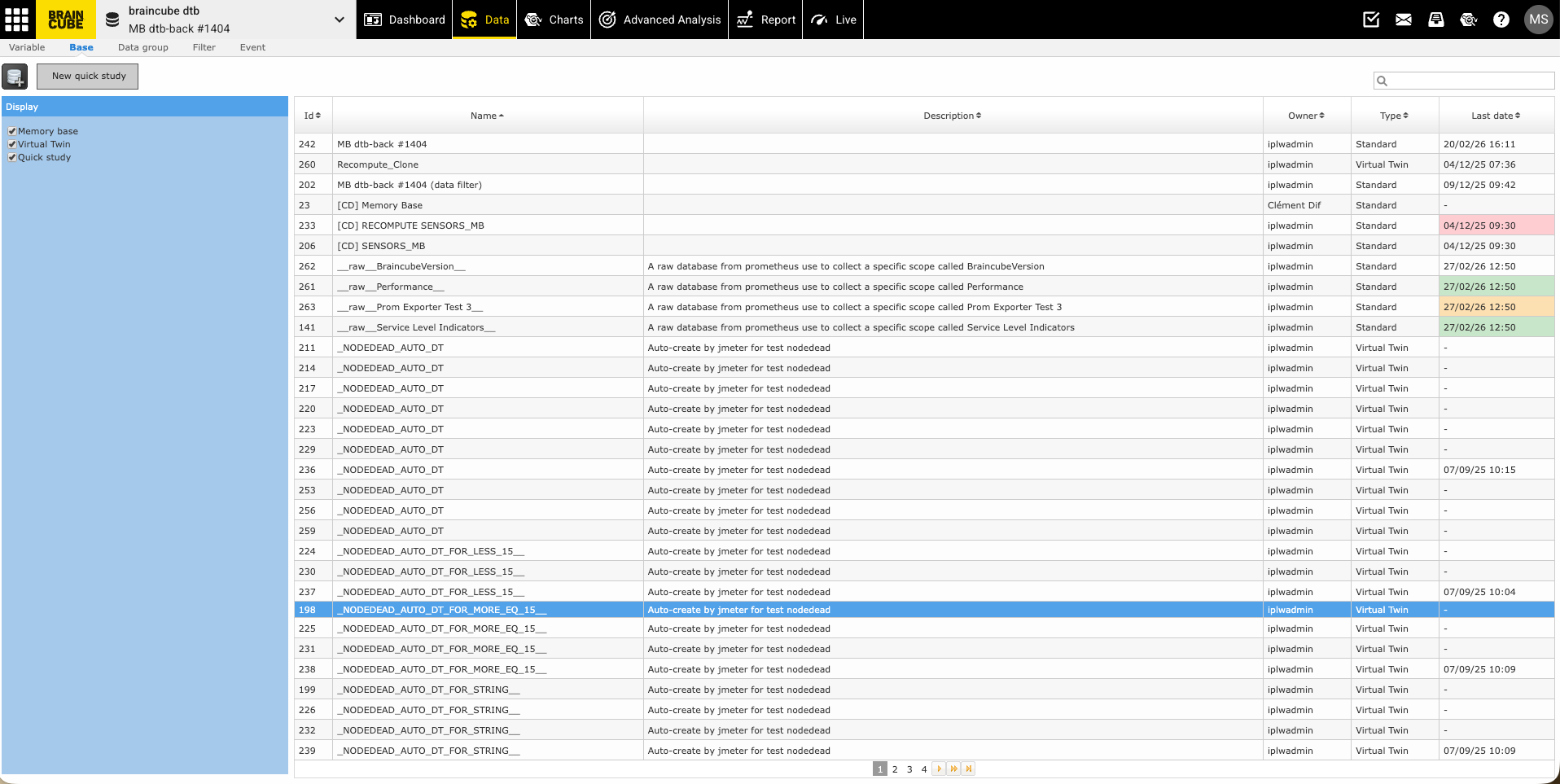
Everyone can check the database status on the databases page of the Data app by looking at the "last date" parameter. If a target latency is set, the corresponding cell will be color-coded to indicate the freshness status relative to the target:
| Color | Meaning |
|---|---|
| Green | Latency ≤Target |
| Orange | Target < Latency ≤ 1.5 Target |
| Red | Latency > 1.5 Target |
9. What should I do if I see a database that is not up to date (Red/Orange)?
The latency of databases is continuously monitored by our support team. However, if you notice a database that appears not to be up-to-date (indicated by an Orange or Red status), please check with your IT if your data is still sent to Braincube. The issue could stem from external factors such as missing files or missing key tags.
If there are no issues with the connect system, you can reach out with a "to do" ticket so the root cause can be investigated.